.png)
How Are Journey Builders Reshaping Conversational AI for Businesses?
What happens when conversational AI understands context, timing, and intent? Journey builders turn fragmented customer interactions into intelligent, personalized experiences, without manual effort. Discover how businesses are using them to increase conversions and reduce friction.
It's 2 A.M., a prospective student messages your university's admissions bot, stressed about missing a financial aid deadline. Instead of getting a generic “we'll get back to you” response, something smarter happens. The system understands their concern, and here’s what happens next:
- Checks their eligibility in real-time
- Books them a consultation for later that morning
- Sends a follow-up with personalized next steps
By the time they wake up, they're halfway through enrollment.
No one from your team lifted a finger, yet the experience felt completely personal.
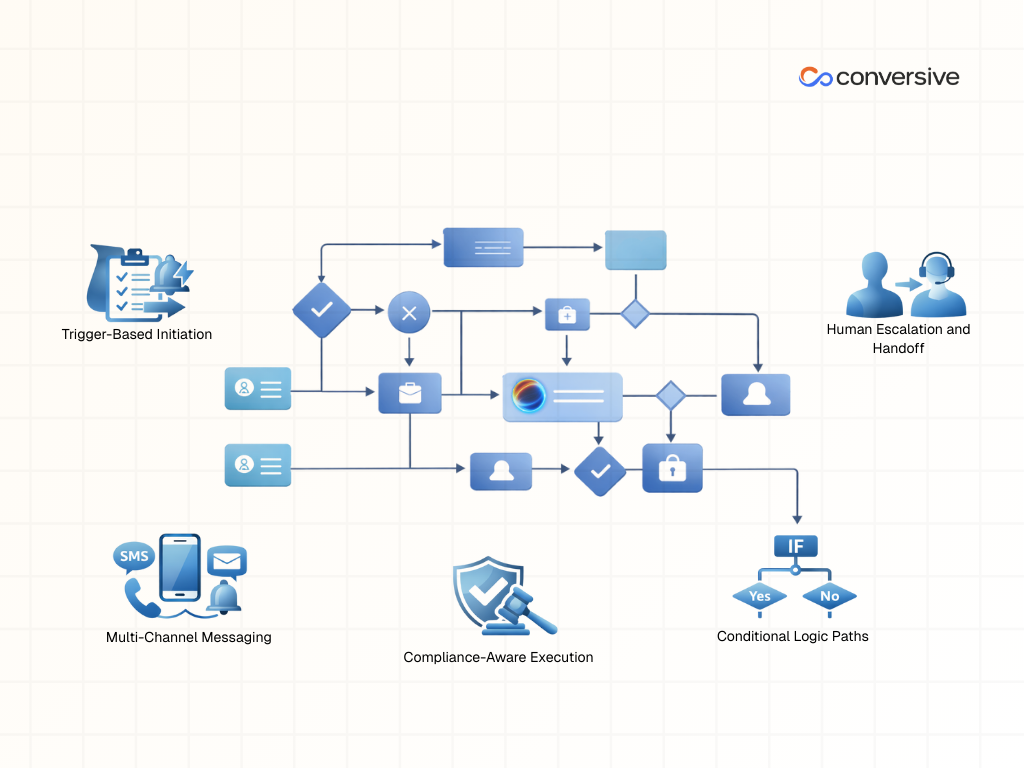
That's what journey builders do when they're paired with conversational AI. They turn chaotic, multi-channel customer interactions into smooth, intelligent experiences that adapt as people move through them.
I've seen this play out in the smallest moments too. Recently, I booked movie tickets through an app, but the confirmation never showed up in my email. I sent a quick message through the app itself and immediately got an SMS saying they were looking into it. Ten minutes later, the tickets appeared in my inbox. A few minutes after that, someone called just to make sure everything was sorted.
It wasn't at all complex, in fact, it was just seamless reassurance at exactly the right moment. That's when you realize these systems work best when you don't even notice them, they just quietly remove friction before it becomes frustration.
This kind of technology is making waves across industries where timing, personalization, and real-time engagement actually matter. So today, I want to walk you through why journey builders are becoming essential, what they actually are under the hood, and how you can start building one yourself.
Why Are Businesses Turning to Journey Builders?
One thing is sure, customer journeys aren't neat funnels anymore. People bounce between SMS, email, WhatsApp, voice calls, and apps without thinking twice. And if you're in a regulated space like education, finance, healthcare, or legal services, one poorly timed message can destroy trust or worse, land you in compliance trouble.
So how do you manage all these zigzagging touchpoints without losing your mind?
Journey builders!
Remember those old puzzle games like Crazy Machines where you'd drag and drop pieces, watch things fail, adjust the flow, and keep tweaking until everything clicked? Journey builders work the same way, except now the stakes are real customers, real conversations, real business outcomes along with real regulations.
And the ROI isn't theoretical. Research shows that well-designed multi-touchpoint journeys can lift revenue by 10-30%.
Let me give you a personal example. I was shopping online for my sister's birthday and ended up in what I now recognize as a really well-orchestrated journey. I had one or two items in mind, but as I browsed, the site suggested a book I might like, plus related titles and a journaling diary.
I spent a couple of days thinking about it. During that time, I got spaced-out emails and SMS reminders, not annoying, just timely. The site also showed me complementary items that actually made sense together.
Those nudges guided me through multiple steps. What started as a single-item purchase turned into three books (two for me, it wasn't in the original plan though) and a diary for my sister. Each touchpoint felt personal and perfectly timed.
Now multiply that experience by thousands of customers moving through similar flows, and you start to see how those 10-30% lifts happen. So if you design journeys with intention, grounded in context, timing, relevance and also keeping compliance in the loop, those incremental gains stop being theoretical and start compounding.
So What Is a Journey Builder?
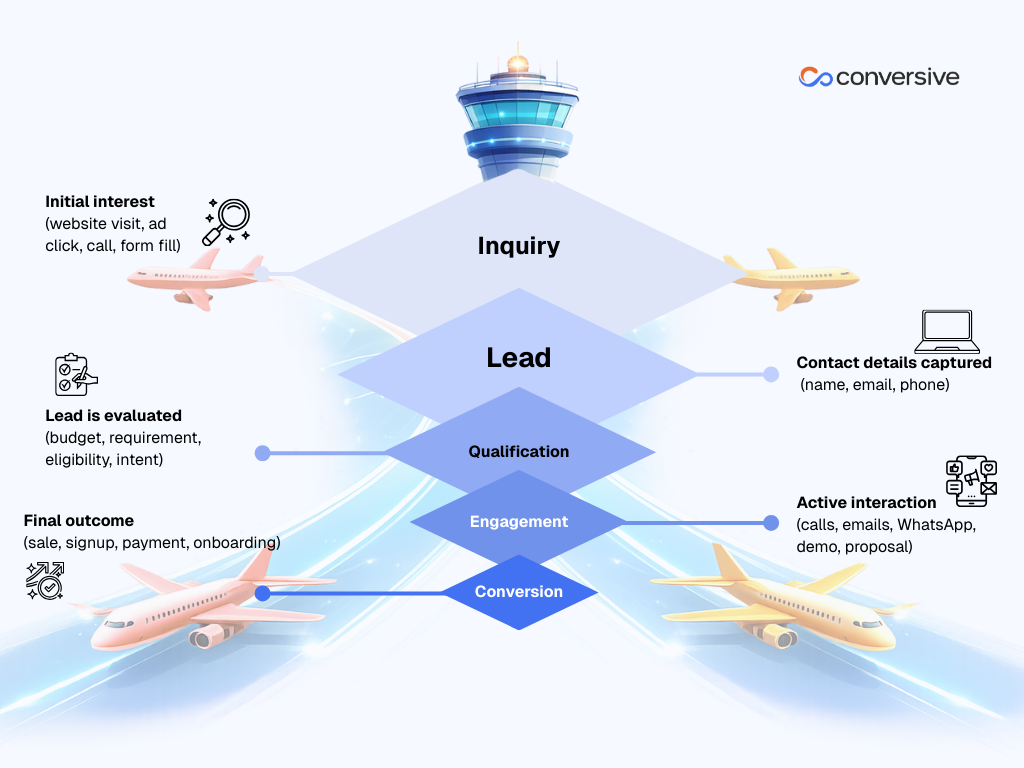
To give you an analogy, a journey builder is like your business’s air traffic control tower. Likewise, customer interactions don't crash, they glide smoothly from inquiry to conversion.
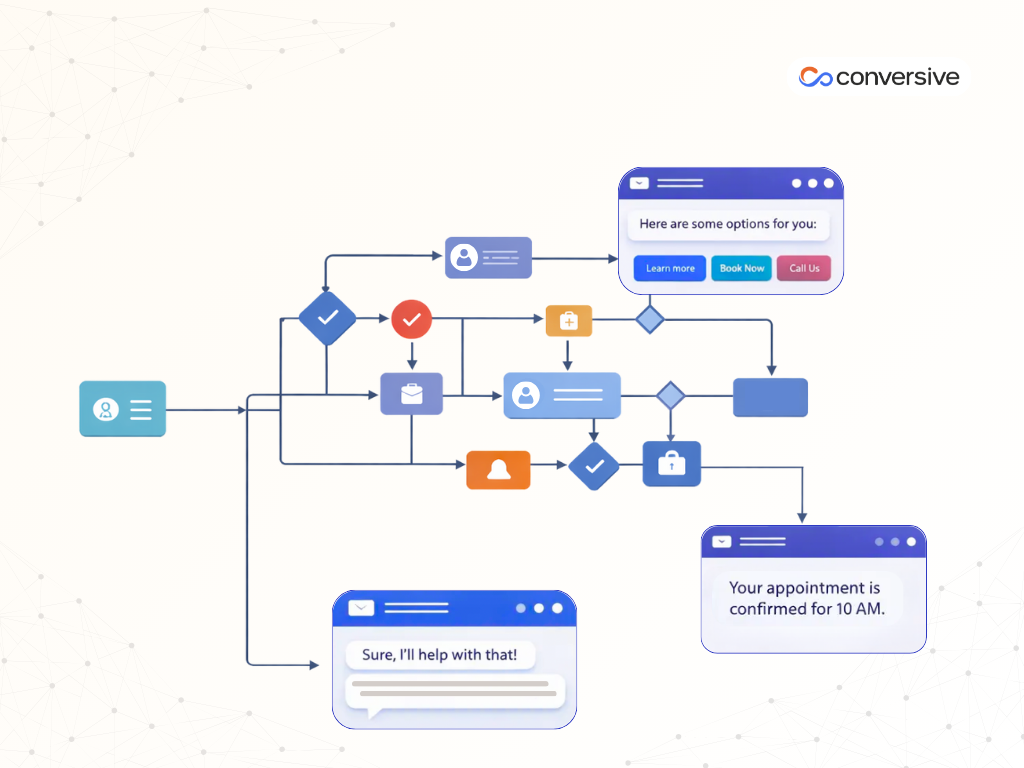
At its simplest, a journey builder is a visual tool that maps out how customers move from one step to the next. Here's what that looks like in practice:
- You drag and drop steps to build the journey visually
- You connect those steps so everything flows logically
- You set conditions based on what the customer does (like "if they reply" or "if they don't respond in 24 hours")
- The system automatically does things like sending reminders if someone abandons a form, or stopping messages once a contract is signed
The Building Blocks of a Journey Builder
Before diving into the mechanics, it helps to zoom out and understand what a journey builder really is in practical terms. Once you see it as a system for orchestrating movement and decisions, the analogy becomes clear.
1) Entry Points (How Journeys Start)
These are your triggers, the moments when someone enters a journey. Could be when they send a WhatsApp message, when a scheduled reminder fires, or when they join a specific customer segment like “high-value leads”.
2) Decision Points (The Smart Brain)
This is where AI decides what happens next. It might interpret customer intent (“are they worried about loan refinancing?”), pick the best channel to reach them on, or predict what they'll need next. These decision points let the journey branch dynamically instead of following rigid rules.
3) Action Steps (Where Things Happen)
This is the execution layer, like sending an SMS, making a voice call, collecting an e-signature, or handing the conversation off to a human agent.
4) Timing Controls (The Pause Button)
These add delays and pacing. Wait 24 hours before following up. Wait until they reply. Adjust timing for their time zone. This prevents you from bombarding people while keeping momentum going.
5) Exit Points (The Finish Line)
These mark the end goal, which could be, enrollment completed, case resolved, appointment booked. Whatever success looks like for that journey.
Now here's where it gets interesting, modern journey builders aren't rigid. They use AI to adapt to each person individually.
For example, platforms like Conversive pull your customer data from wherever it lives and push it across multiple channels, like email, SMS, WhatsApp, ads, so you can reach people wherever they are. Other platforms like Salesforce Journey Builder work great if you're already in their ecosystem, but they can lock you in, making it harder to connect with tools outside their world.
How Journey Builders Actually Work?
Journey builders operate through connected steps that respond to what customers do in real-time. Every message or action triggers the next step, making the experience feel personalized.
Here’s how that looks across different verticals:
Step 1: A Person Reaches Out
It always starts with an inbound message:
- Healthcare: “I need to book a COVID vaccination”.
- Real Estate: “I’m looking to buy a house and need guidance”.
- Legal: “I was injured in a car accident and need a lawyer”.
No matter the industry, that first message instantly activates the journey.
Step 2: Instant Enrollment
As soon as the message comes in, the system automatically enrolls the person into the appropriate journey, vaccination booking, homebuyer intake, or legal case evaluation. There’s no manual sorting or delay.
Step 3: Smart Qualification
The journey then asks the right questions based on context:
- Healthcare:
- Are they eligible?
- Are there urgent health concerns that need attention first?
- Real Estate:
- What type of property are they looking for?
- What’s their budget?
- Are they pre-approved?
- Injury Law:
- When did the accident occur?
- Were there injuries involved?
Each response helps the system understand urgency, eligibility, and intent.
Step 4: Intelligent Routing & Evaluation
Based on those answers, the journey evaluates what should happen next:
- Is this time-sensitive?
- Is the person qualified to move forward?
- Does this require automation, or human intervention?
The system adjusts automatically, ensuring the person is never pushed down the wrong path.
Step 5: Next Best Action
Once qualified, the journey delivers the most appropriate next step:
- Healthcare: A secure booking form sent via SMS, or WhatsApp with video guidance if preferred.
- Real Estate: A secure preference form and an option for a same-day consultation or property tour via phone, video, or in person.
- Legal: A secure intake form and an offer for a same-day consultation by phone or video.
The channel, timing, and message are all tailored to the individual.
Step 6: Smart Follow-Up Logic
If the person doesn’t complete the form or respond:
- An automated reminder is sent.
- If there’s still no response, the journey escalates to a human, an agent, staff member, or care coordinator, for personal follow-up.
No lead, patient, or case slips through the cracks.
Step 7: Completion, Tracking & Compliance
Once the goal is achieved, an appointment booked, a consultation scheduled, or a tour confirmed, the journey ends.
Behind the scenes, the system:
- Logs all interactions (HIPAA-compliant for healthcare)
- Tracks response times and conversion rates
- Identifies which channels (SMS, email, calls, video) performed best
Across healthcare, real estate, and legal services, the outcome is the same, which is, a structured, intelligent process that feels personal, responsive, and human, while running automatically in the background.
That’s the real power of journey builders.
Your Practical Playbook: Building a Journey in 5 Steps
Building your first journey doesn't have to be complicated. Here's how to approach it:
Step 1: Set Up Your Data Foundation
Start by collecting the events that matter, clicks, form submissions, support requests. Define your goals clearly: "book appointment," "complete enrollment," "close loan."
For example, if you're tracking vaccination bookings, you'd monitor clicks on the booking link and set "appointment booked" as your success metric.
Step 2: Plan Backward from Your Goal
Start with the outcome you want and work backward. What needs to happen right before that? And before that?
For a vaccination booking, the sequence might be: initial message → reminder if no response → follow-up call. Planning backward ensures every step contributes directly to your goal.
Step 3: Build Visually on the Canvas
Use your platform's drag-and-drop interface to connect steps. Add AI decision points where the system needs to evaluate and route intelligently.
Here's where retrieval-augmented generation (RAG) becomes valuable. When a customer asks a question, the AI retrieves the latest relevant information from your knowledge base before responding. This keeps responses accurate, especially in regulated industries.
For example, if a patient asks, "Do I need to fast before the vaccine?" the AI pulls the current guideline and sends an accurate answer.
Step 4: Test Everything Before Launch
Simulate different scenarios, including edge cases. In healthcare, test what happens if someone doesn't respond to reminders or submits incomplete forms.
Testing catches workflow gaps, timing issues, and integration failures before real customers encounter them.
Step 5: Optimize Continuously
Once live, monitor which paths work best. Track which messages lead to the most conversions, which channels perform better, and where handoffs to humans happen smoothly.
Use those insights to refine timing, adjust messaging, and improve AI decisions over time.
Pro tip: Collect zero-party data (information people voluntarily share through forms or surveys) to personalize journeys even more effectively. Start small with one use case, test it, see results, then expand.
Advanced Tactics: Learning, Handoffs, and Compliance
As your journeys mature, a few advanced capabilities make a big difference:
Reinforcement Learning: The system learns from outcomes and self-tunes. Healthcare reminders automatically adjust based on which channel and timing each patient responds to best.
Smart Handoffs to Humans: When conversations get complex or sensitive, they're transferred to a human agent with a complete summary of what's happened. The agent instantly understands context instead of asking customers to repeat themselves.
Built-In Governance: Every action gets logged, creating audit trails for compliance requirements like HIPAA and GDPR. Consent management and opt-outs happen automatically.
The 80/20 Rule: AI handles high-volume, repetitive tasks. Humans step in for judgment calls and nuance. This balance maximizes efficiency without sacrificing quality.
Traps to Avoid
Even well-designed journeys can hit problems. Here's what to watch for:
Data Living in Silos: When information is stuck in different systems, journeys break. Connect your data sources so everything's accessible where needed.
Compliance Surprises: Missing an opt-out or consent rule causes serious issues. Build automatic exit rules so journeys stop immediately when required.
Overcomplicating Things: Journeys with too many branches become hard to manage. Start simple, keep initial builds to 15-20 nodes, then expand based on what you learn.
Not Improving Regularly: Review your journeys weekly or bi-weekly. Track simple metrics like goal completion by path and handoff quality, then adjust accordingly.
What's Coming Next: Autonomous Journeys
Technology keeps advancing. Soon, journeys will be even more proactive, reaching out at exactly the right moment, learning continuously, and adapting to each customer while reducing manual work.
Combining AI agents with solid data infrastructure gives you a real competitive edge. These tools don't just automate work, they help you scale while keeping things human.
With Conversive, you can start building these intelligent journeys today, without ripping out your existing systems or sacrificing compliance. Book a Demo today!
Frequently Asked Questions
1. What is a journey builder in simple terms?
A journey builder is a visual orchestration tool that helps businesses design, automate, and manage customer interactions across multiple channels (SMS, email, WhatsApp, voice, apps) based on real-time behavior and context.
2. How is a journey builder different from basic automation or chatbots?
Basic automation follows fixed rules, and chatbots usually handle single conversations. Journey builders coordinate entire experiences end-to-end, adapting dynamically, switching channels, involving humans when needed, and responding to customer actions in real time.
3. Do journey builders replace human teams?
No. They handle repetitive, high-volume tasks so humans can focus on complex, sensitive, or high-value interactions. The best systems are designed around smart handoffs, not full replacement.
4. How long does it take to build a working journey?
You can launch a simple, high-impact journey in days, sometimes even hours. Most teams start with one focused use case (like appointment booking or lead qualification) and expand gradually as they see results.
5. How does Conversive’s Journey Builder differ from other platforms?
Conversive is designed to work across your existing systems rather than locking you into a single ecosystem. It pulls customer data from wherever it lives and orchestrates journeys across SMS, email, WhatsApp, voice, ads, and more, while keeping compliance, auditability, and real-time personalization built in from day one.
6. Can Conversive Journey Builder be implemented without replacing our current tools?
Yes. Conversive is built to layer on top of your current CRM, EHR, marketing tools, or databases. You can start with one journey, integrate incrementally, and scale without ripping out your existing infrastructure.


.png)

.png)